

MRCOOL DIY Troubleshooting: Fix Common Problems Yourself (Owner's Manual)
-
 By
Michael Haines
By
Michael Haines
- Apr 6, 2026

A homeowner's field guide to diagnosing heat, cooling, water leaks, error codes, WiFi, and outdoor unit issues - before you call support.
Imagine your MRCOOL DIY mini split suddenly stops cooling on the hottest day of the year. Your mind races to expensive refrigerant leaks or a dead compressor. But here's the thing - for roughly 40% of "no-cool" service calls, the fix is as simple as a flipped breaker, dead remote batteries, or the wrong mode setting. The unit isn't broken. It's just confused.
This guide walks through every common MRCOOL DIY problem in the order a real technician would check them. Most issues are solvable in 15 minutes with a screwdriver, a flashlight, and a wet/dry vacuum. The ones that aren't, we'll flag clearly so you don't waste an afternoon chasing a problem only the factory can solve.
If you're shopping rather than troubleshooting, you can shop MRCOOL DIY mini splits directly, or keep reading - because half the value of owning one of these systems is knowing how to fix it yourself.
Before opening panels or pulling out a multimeter, run through this 5-minute checklist. The Furnace Outlet's service data shows roughly 40% of "no cool" or "no heat" calls are resolved at exactly this step.
MRCOOL DIY systems run on a dedicated 240V circuit. Find the breaker labeled for the mini split and confirm it hasn't tripped. If it has, flip it fully OFF, wait 10 seconds, then back ON. If it trips again immediately, stop - that's an electrical issue you'll want a licensed electrician to look at.
Weak batteries cause the remote to send incomplete signals, which feels exactly like a broken unit. Swap in fresh AAA batteries before you do anything else.
"Cool" mode in winter and "Heat" mode in summer won't do anything useful. Cycle through Auto, Cool, Heat, Dry, and Fan to make sure you're in the right one for the season.
Lift the front panel of the indoor head and pull out the mesh filters. If they look gray or fuzzy with dust, rinse them in lukewarm water, let them air dry completely, and reinstall. A clogged filter chokes airflow and can trigger sensor errors.
Flip the breaker OFF for 5 full minutes. This drains residual capacitor charge and forces the control board to reboot. Many phantom error codes clear themselves with a clean reboot.
If your unit cools fine but won't heat (or vice versa), the problem usually falls into one of three buckets: it's not actually broken, it's in defrost, or there's a real fault.
If the indoor display shows "DF" and the air feels cool or neutral instead of hot, that's not an error - that's defrost. When humid outdoor air freezes on the outdoor coil, the system briefly reverses to melt the ice. The cycle lasts 3 to 10 minutes, then heat resumes automatically. Standard MRCOOL DIY models maintain heating output down to about 5°F, while Hyper Heat 5th Gen models are rated to -22°F, so unless you're outside those ranges, the unit should recover on its own.
- Setpoint too low. Heat mode won't activate if the room temperature already exceeds the setpoint. Bump it 5°F above current room temp to test.
- Outdoor unit not running. Walk outside and listen. If the outdoor unit is silent in heat mode, see the outdoor unit section below.
- Iced-over outdoor coil. If the entire outdoor coil is encased in ice (not just frosted), the defrost cycle isn't keeping up. Power the system OFF for 30 to 60 minutes to let it thaw, then restart.
- Refrigerant leak. If the unit blows room-temperature air no matter the setting, you may be low on refrigerant. 5th Gen units include leak detection - check for an error code on the display.
For a deeper walkthrough with photos and decision trees, our spoke article covers MRCOOL DIY Heat Not Working: 9 Causes & Fixes (Before You Call Support).
Cooling problems break down into "running but not cold" versus "not running at all." The first is fixable by you in most cases. The second usually points back to power, communication, or refrigerant.
- Dirty filters. Already covered above, but worth repeating - this is the single most common cause of weak cooling.
- Blocked outdoor unit. Leaves, grass clippings, or shrubs touching the condenser kill heat rejection. Clear at least 24 inches of space on all sides.
- Setpoint vs. capacity mismatch. A 12K BTU DIY unit covers up to 550 sq ft. If you're trying to cool a 900 sq ft open-plan room with one head, it's not malfunctioning - it's undersized.
- Doors and windows open. Sounds obvious. Happens constantly.
- Frozen indoor coil. If the indoor head is dripping water and not cooling, the evaporator coil is iced over. Switch to fan-only mode for 1 to 2 hours, then return to cooling.
Run the 5-minute checklist from the top of this article first. If the indoor head is silent and the display is dark, you have a power issue. If the display is lit but nothing happens when you press buttons, you likely have a remote signal or control board problem. Try the "Manual" button on the indoor unit (small button hidden behind the front panel) - if the unit responds to that but not the remote, the remote or its receiver is the issue.
Water dripping from the indoor head onto your wall or floor is alarming, but it's almost never refrigerant - refrigerant doesn't drip in liquid form. What you're seeing is condensate that should have drained outside but didn't.
By far the most common cause. Algae, dust, and biofilm build up inside the white drain hose and back water up into the indoor unit. Disconnect the hose at its lowest accessible point and clear it with a wet/dry vacuum (suck from the outside end) or flush a cup of distilled white vinegar through it.
The drain hose must run continuously downhill from the indoor head to its outdoor exit. Any sag, kink, or upward bend traps water. Walk the line and confirm gravity is on its side the entire way.
The drain pan inside the head is shallow. If the unit was installed slightly tilted toward the wrong side, water spills over the indoor edge instead of flowing into the drain. Pop a level on top of the unit. The drain side should sit about 1/4 inch lower than the opposite side.
The full walk-through with photos: MRCOOL DIY Leaking Water: How to Diagnose & Fix Drain Line Issues.
A properly installed drain line is the difference between a system that runs invisibly for a decade and one that drips on your hardwood every August. Worth doing right the first time.
Once a year - ideally in spring before cooling season - flush the drain line with one of the following:
- Distilled white vinegar. 1 cup poured into the drain access point. Cheap, food-safe, and dissolves biofilm.
- 1:1 hot water and bleach. Effective but harsher on the line. Don't use this if you have a condensate pump.
- Wet/dry vacuum. Suction from the outdoor end pulls out anything stuck inside.
- Gurgling or sucking sounds from the indoor head
- Visible water inside the indoor unit's drain pan
- A musty smell from the supply air
- Indoor head shutting itself off and showing a fault code
For a complete setup-and-maintenance reference, see MRCOOL DIY Drain Line Setup, Slope & Cleaning (Stop Leaks Before They Start).
MRCOOL DIY indoor heads display fault codes when sensors detect a problem. Here are the codes you're most likely to actually see, with what they mean and what to do.
| Code | Meaning | What to Try First |
|---|---|---|
| DF | Defrost mode (not an error) | Wait 3 to 10 minutes for cycle to complete |
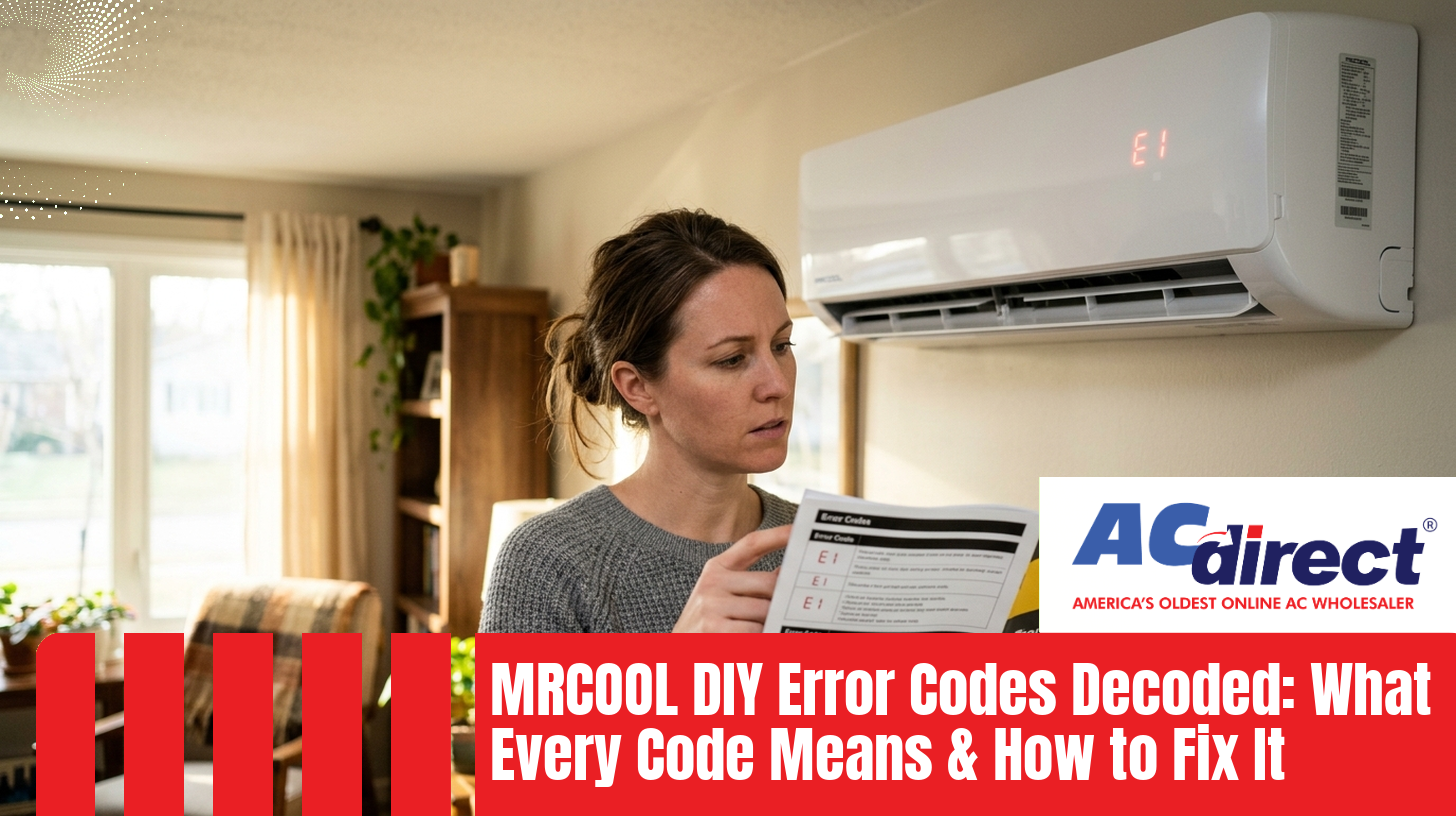
| E1 / EL01 | Indoor / outdoor communication failure | Power-cycle 5 min; check control wire connections |
| E2 | Indoor coil temperature sensor fault | Power-cycle; if persists, sensor replacement |
| E3 / EH-03 | Indoor fan motor or wiring issue | Check for blockage in indoor fan; power-cycle |
| E4 | Pipe temperature sensor fault | Power-cycle; replace sensor if recurring |
| E5 | Outdoor temperature sensor fault | Power-cycle; check outdoor sensor wiring |
| F4 / F5 | Outdoor unit sensor / module fault | Power-cycle; if persists, contact support |
| P-codes (P0-P9) | Compressor or system protection | Power off 30 min; check for outdoor blockage |
For an exhaustive code-by-code reference including the rarer codes not listed here, see MRCOOL DIY Error Codes Decoded: What Every Code Means & How to Fix It.
The SmartHVAC App 2.0 connects MRCOOL DIY units to Alexa, Google Home, and Apple HomeKit natively - no extra hubs required. But the WiFi setup itself is the single most-complained-about installation step. Home Depot reviewers frequently flag the included WiFi thumb drive instructions as "incorrect" or hard to follow.
- Confirm 2.4 GHz network. The WiFi module only works on 2.4 GHz networks, not 5 GHz. If your router broadcasts both as a single SSID, temporarily separate them or use the 2.4 GHz band only during pairing.
- Check signal strength at the indoor unit. Stand next to the head with your phone and run a speed test. If you see less than two bars, the unit will struggle to maintain a connection. A WiFi extender solves this.
- Update the SmartHVAC app. The app updates frequently. Older versions can fail to recognize newer firmware.
- Reset the WiFi module. Hold the "Health" or "WiFi" button on the remote for 10 seconds until you hear a beep. The unit drops its saved network and re-enters pairing mode.
- Reboot router and phone. Sounds dumb. Works often.
Intermittent disconnects are usually router-side. Assign a static IP to the mini split in your router's DHCP settings, and disable any "smart" router features that aggressively kick idle low-bandwidth devices off the network.
For step-by-step pairing including the thumb drive install and Alexa/HomeKit linking, see MRCOOL DIY WiFi Setup & Smart HVAC Controller Troubleshooting.
Owners consistently rate MRCOOL DIY units as "very quiet," so any new noise gets attention quickly. Here's what each sound usually means.
- Gurgling or bubbling. Refrigerant moving through the lines after the compressor cycles. Normal in moderation. Constant bubbling can indicate low refrigerant.
- Clicking on startup/shutdown. Plastic expansion and contraction as components heat and cool. Harmless.
- Whistling or hissing. Air leak around the wall sleeve or - more concerning - a refrigerant leak. If the unit also isn't cooling, suspect refrigerant.
- Rattling. Loose front panel, loose filter, or something inside the fan housing. Power off and inspect.
- Buzzing on startup. The DC inverter compressor ramping up. Normal.
- Loud humming or vibration. The unit isn't level on its mounting pad/bracket, or rubber isolation feet have compressed. Re-shim and re-level.
- Grinding or screeching. Failing fan motor bearing. Power off and call support.
- Periodic loud "whoosh." Defrost cycle reversing the flow. Normal in winter.
Indoor head working, but the outdoor condenser dead silent? Walk through these in order:
The compressor has a built-in delay between cycles to protect itself. Just because you changed the setpoint doesn't mean it kicks on instantly.
There's a weatherproof disconnect mounted near the outdoor unit. Open it and confirm the pull-out or switch is fully engaged. These get bumped or pulled by accident more often than you'd think.
Walk back to the indoor head and check the display. An E1/EL01 means the units aren't talking to each other - usually a loose control wire or the outdoor PCB.
5th Gen units use the DIYPRO® cable in place of conduit. It's weather and pest resistant, but a chew-through from rodents or a pinch from settling siding can sever the control signal. Visually trace the cable from indoor head to outdoor unit.
If you're comfortable with a multimeter, verify 240V at the contactor terminals inside the outdoor unit. No voltage means the issue is upstream (breaker, wiring, disconnect). Full voltage with no compressor activity means a failed control board or compressor - that's a warranty call.
You've worked through this guide. Some problems still need the factory. Call MRCOOL support if you encounter:
- The same error code returning within an hour of every power-cycle
- Visible refrigerant oil on the line set, flare connections, or outdoor unit (oily residue indicates a refrigerant leak)
- A breaker that trips repeatedly and immediately when reset
- Compressor not running with confirmed 240V at the contactor
- Any burning smell from the indoor or outdoor unit
- An ice-blocked outdoor coil that doesn't clear after a 60-minute power-off
Sometimes the math says "stop chasing it." Here's when replacement makes more sense than repair.
The MRCOOL DIY standard warranty is 7 years on the compressor and 5 years on parts. If your unit is past those windows and the compressor or main control board has failed, you're looking at $600 to $1,200 in parts plus your time. A new 12K BTU 5th Gen system is around $1,549 at major retailers, with better efficiency (23.5 SEER2) and the newer R-454B refrigerant. Often the new unit wins.
4th Generation units use R-410A and showed about 75% reliability past the first year. 5th Gen units, with R-454B and improved flare connections, hit 85%. If you're on 4th Gen and you've already had two refrigerant leaks, the third one is usually the breaking point. The newer units have built-in refrigerant leak detection that the older platform lacks.
If you bought a 12K BTU unit (550 sq ft coverage) for a 900 sq ft room and it's been running 90% duty cycle for two summers, the "problem" isn't the unit - it's that you need a bigger one or a second zone. You can see all MRCOOL DIY systems by zone to right-size your replacement, or read our complete MRCOOL DIY installation guide for sizing math before you buy.
| Situation | Estimated Cost | Recommended Action |
|---|---|---|
| In warranty, any major fault | $0 parts (labor not covered) | Repair via warranty |
| Out of warranty, sensor or PCB | $80 to $300 | Repair |
| Out of warranty, compressor | $600 to $1,200 | Lean toward replace |
| Repeat refrigerant leaks (4th Gen) | $300 to $800 each | Replace with 5th Gen |
| New 12K 5th Gen system | ~$1,549 | Reference baseline |
If you're weighing a replacement, our complete MRCOOL DIY reviews breakdown covers what owners actually report after the first 1, 3, and 5 years of ownership. You can also view AC Direct's MRCOOL DIY collection at wholesale prices.
Most likely it's in defrost mode (display shows "DF"). The unit briefly reverses to melt ice from the outdoor coil, and indoor air feels neutral or cool for 3 to 10 minutes. This is normal in cold and humid weather. If the cool air persists for more than 15 minutes, check that the unit is actually set to Heat mode, that the setpoint is above current room temperature, and that no error code is displayed.
E1 (sometimes shown as EL01) means the indoor and outdoor units have lost communication with each other. The most common causes are a loose control wire connection at either end, a damaged DIYPRO® cable, or a failed PCB on either unit. Power off at the breaker for 5 minutes and restart. If the code returns, visually inspect the control wire connections at both the indoor and outdoor terminal blocks. Persistent E1 codes after that usually require a board replacement under warranty.
No. Adding refrigerant is regulated under EPA Section 608 and requires certification, gauges, and proper recovery equipment. The DIY-friendly part of these systems is the pre-charged QuickConnect® line set installation, not refrigerant servicing. If you're losing refrigerant, you have a leak, and the leak needs to be found and fixed before any recharge - otherwise you'll just lose the new charge too.
Almost always a clogged condensate drain. Algae and dust build up inside the white drain hose, water backs up, and the indoor pan overflows. Disconnect the drain hose at the lowest accessible point and clear it with a wet/dry vacuum (suction from the outdoor end) or flush a cup of distilled white vinegar through it. Other causes include a sagging or kinked drain line, or an indoor head that wasn't installed level.
Confirm three things first: your network is 2.4 GHz (not 5 GHz only), the SmartHVAC app is updated to the latest version, and signal strength at the indoor unit is at least two bars. If those are good, hold the WiFi or Health button on the remote for 10 seconds to reset the unit's WiFi module, then re-pair from scratch in the app. Reboot your router during the process.
Owner data shows about 85% of 5th Gen units operate reliably past the first year, up from 75% on 4th Gen. With proper installation and annual filter cleaning plus drain line flushes, a typical lifespan is 12 to 15 years. The compressor warranty is 7 years standard, with a lifetime option through MRCOOL's Care Program enrollment.
No. Heat pumps need to breathe to defrost themselves and reject heat properly. Covers trap moisture against the coil and can actually accelerate corrosion (which is why MRCOOL's Gold Fin® coating is there in the first place). Just keep the area around the unit clear of snow and debris - 24 inches of clearance on all sides is the rule of thumb.
AC Direct stocks the full MRCOOL DIY 5th Generation lineup at wholesale pricing. Our team installs and troubleshoots these systems daily and can help size, spec, or swap your unit without the dealer markup.